M/S engine
Stereo width handled as mid and side rather than a blanket widener, with the centre left intact.
Master bus · Version 2.1.1
Tonal shaping, dynamics, stereo control and delivery metering in a single environment, so the gain structure stays in one place instead of drifting across a chain of windows.
Hear it first
Two renders of one passage, switched instantly so the playhead never moves. Both are matched to −12 LUFS integrated, because at different levels the louder one always wins and the comparison tells you nothing.
“Güvercinler”, a StudioZIO production, rendered through Mastering Suite 2.0.0. Both files measure −12.0 LUFS integrated and peak at or below −1 dBTP, measured on these encodes rather than on the masters, so the numbers describe what you are actually hearing. The unmastered take needed 3 dB of gain to reach the target and a little limiting to hold the ceiling; the mastered take came down on gain alone.
The interface
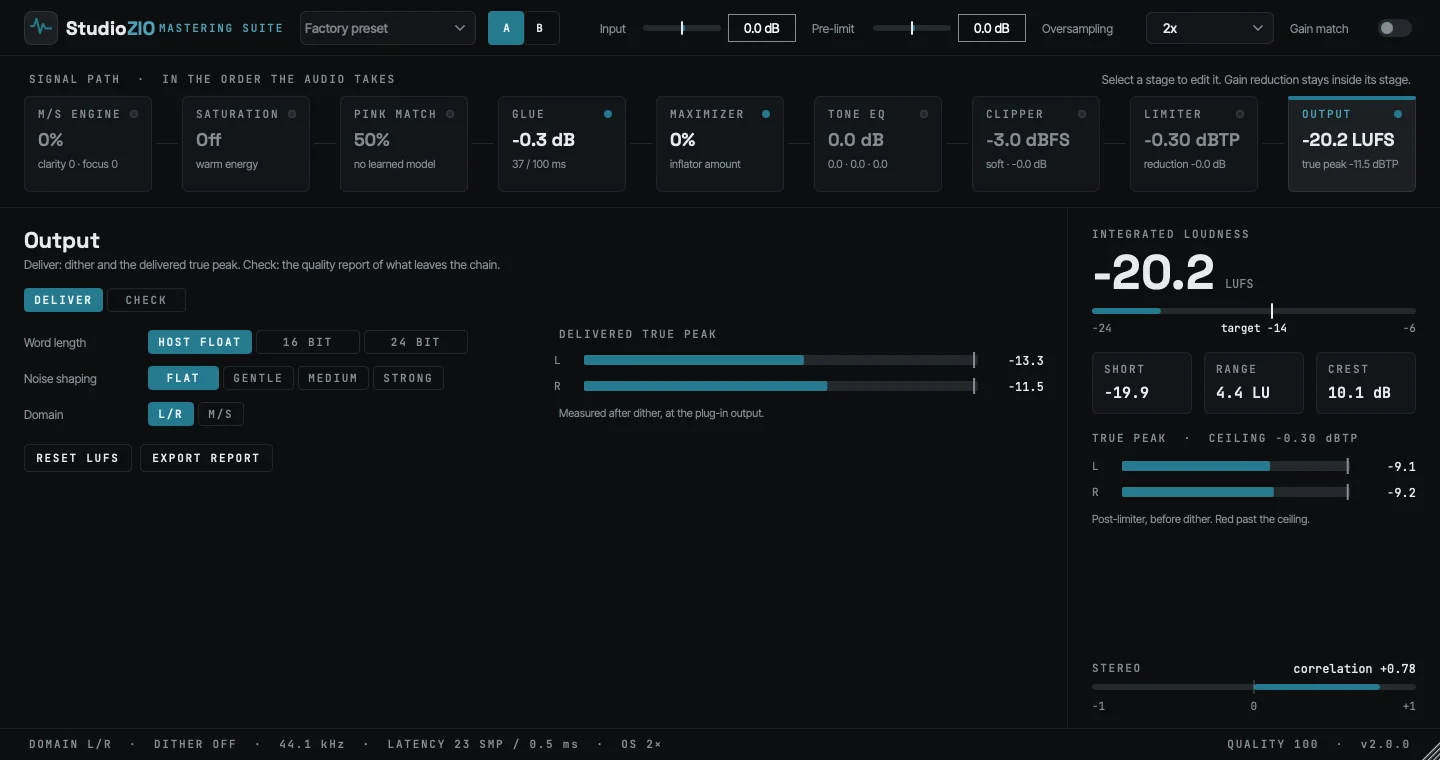
The nine-stage signal path stays visible while each stage opens into a focused control surface. Loudness, true peak, stereo correlation and quality remain on screen throughout.
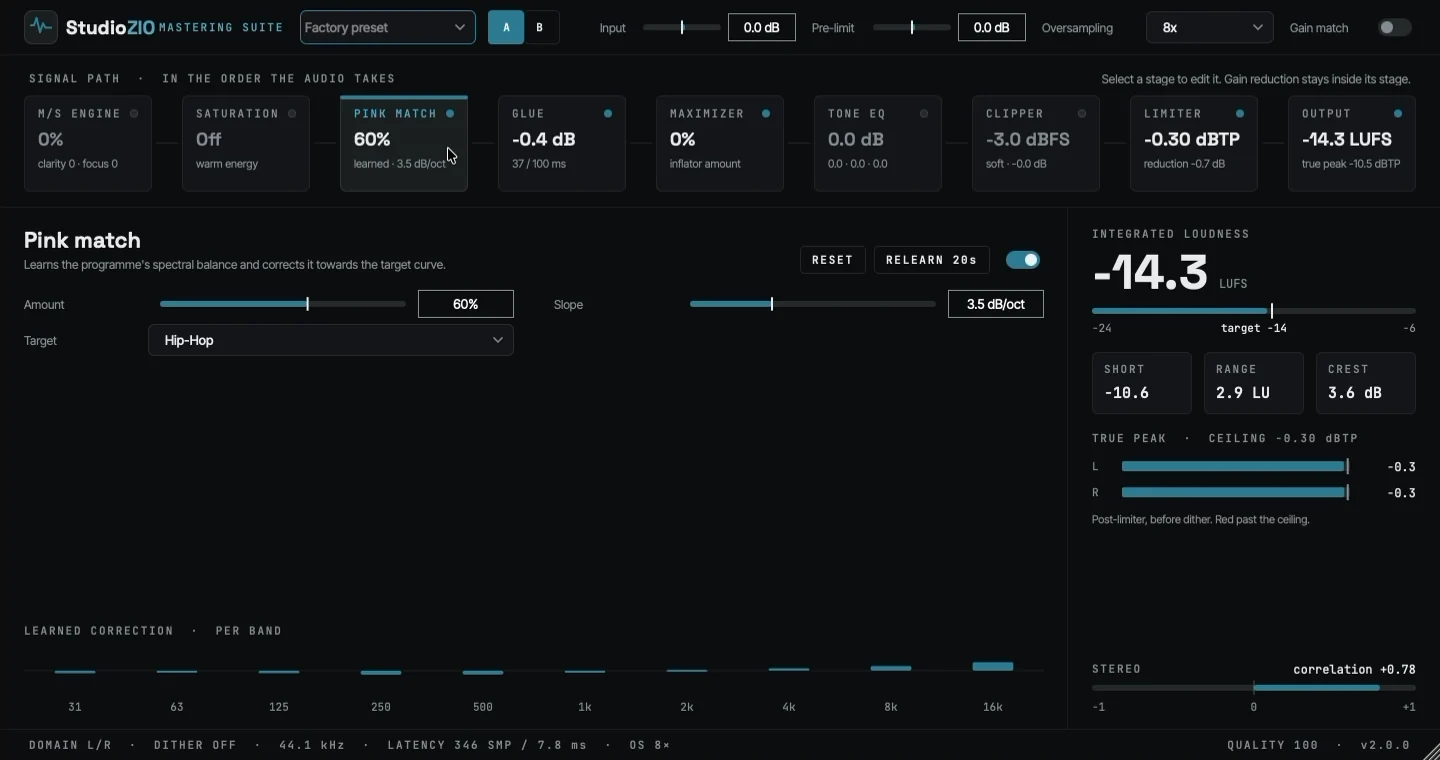
The same window, running. Pink Match takes a twenty-second learn pass against a Hip-Hop target, counting up as it listens; then the amount is adjusted while the passage keeps playing.
The take keeps audio playing while Pink Match learns and its amount is adjusted. Live loudness, true-peak, gain-reduction and stereo meters stay visible throughout.
Architecture
Each stage reports what it is applying, and every stage shares the same metering reference. The plug-in puts them across the top of its window in the order the audio meets them, which is the order they are listed here.
Stereo width handled as mid and side rather than a blanket widener, with the centre left intact.
Drive staged before the ceiling, applied where the level is still under your control.
Twenty seconds of listening against a target curve, then correction toward it by the amount you choose.
Bus compression with a gain-reduction trace, so you can see how much the master is actually moving.
Density built with an inflator rather than more limiting, so level arrives before the ceiling has to.
Broad tonal shaping with a curve that reads at a glance and stays clear of the header while you work.
A separate pre-clip section ahead of the limiter, oversampled where the non-linearity actually is.
True-peak limiting after the clipper, followed by Output delivery controls and metering.
Dither, word length and the delivered true peak, with a quality report of what leaves the chain.
What makes it different
Nine stages that were designed together, oversampled where distortion is actually created, with the metering that judges them built into the same window.
Give it twenty seconds and it measures your spectral balance against a target curve, then corrects toward it by the amount you choose. A target is a slope plus anchored deviations from it, not a straight line — an EDM master wants energy at 50 Hz and less at 250 Hz, which no single slope can ask for. Match strength scales how much of the measured deviation is acted on, and the result is clamped, so a target can never be forced onto a source.
Saturation, clipping and the limiter’s true-peak detector each run at their own rate. The limiter detector uses 16× reconstruction; the separate true-peak meters use 4× reconstruction to report signal levels.
A separate pre-clip section ahead of it, then character, inflator, upward and transient controls, with stereo unlink set separately for transients and for sustain. Loudness is built, not applied.
The figure is the sum of the stages you actually have engaged, rounded up rather than to nearest so it can never under-report by a sample, and it is published to the host the moment the plug-in is prepared rather than after the first audio block. Delay compensation is exact from the start instead of once the host catches up — and the number is printed on the interface rather than left for you to discover.
Specification
Every automatable control, with its range and default, is listed in the parameter reference. Installation, plug-in locations and uninstall are covered in the installation guide. Writing about the plug-in? The specification, screenshots cleared for use and a paragraph you can paste are in the press kit.
Official macOS installer
Version 2.1.1 · Audio Unit (AU) · VST3 · AAX · Standalone
Free to download and use — a signed, notarized .pkg on a public release page, with no licence key and no account. Free to use in personal and commercial music productions.
StudioZIO-Mastering-Suite-2.1.1.pkg