Press kit
Everything you need to write about Mastering Suite
StudioZIO Mastering Suite 2.1.1 is a free mastering chain for macOS. This page is the whole kit: the facts, what is actually in the chain, images cleared for use, and a paragraph you can paste. Nothing here needs to be requested by email.
There is no Windows or Linux build. If your readers are on Windows, this one is not for them — better to know that before you write it up.
The facts
Specification
- Product
- StudioZIO Mastering Suite
- Version
- 2.1.1, released 7 September 2026
- Price
- Free. No account, no licence key, no iLok, no email registration.
- Platform
- macOS 11 or newer
- Architecture
- Universal — Apple Silicon and Intel
- Formats
- AUv2, VST3, AAX, Standalone
- Windows / Linux
- No build
- Installer
- Apple signed and notarized .pkg, 20.7 MB
- SHA-256
- b054098c4f6565e5e469efd41554425d468830a001c9d4c531e72ab8c50f4cf1
- Parameters
- 42 automatable, organized into 9 automation groups
- Developer
- StudioZIO — Mert Erkan, Istanbul
- Press contact
- www.studiozio.tech/contact/
Full parameter reference, with every automatable parameter's type, range and default, is on the parameters page. Installation and troubleshooting are on the install page.
What it is
Nine stages on one gain structure
- M/S engine
- Body, Clarity and Focus processing.
- Saturation
- 4x oversampled with antiderivative anti-aliasing (ADAA); "Warm Energy" and gradual-onset "Hot Tape" characters.
- Pink Match
- Spectral matching with a 20-second learn pass and adjustable target strength.
- Glue
- VCA compressor with a sidechain high-pass filter.
- Maximizer
- Density processing controlled by the Inflator amount.
- Tone EQ
- Three-band tone EQ.
- Clipper
- Soft or hard clipping ahead of the limiter.
- Limiter
- Lookahead true-peak limiter: release modes, upward compression, transient emphasis, stereo unlink, Delta audition, ceiling protection.
- Output
- Delivery word length, dither and output quality views.
Listed in the interface’s signal-path order. Persistent loudness, true-peak and stereo meters report the chain; they are not an additional processing stage.
Around the chain
Also on the interface
- Metering
- FFT spectrum, vectorscope, LUFS, sample peak and true peak remain available while working with the chain.
- Gain Match
- Level-matched A/B from the header, so the louder version does not win by being louder.
- Delta audition
- The limiter's DELTA switch plays only what is being removed.
If you are looking for an angle
The three things worth showing
- Pink Match
- Ten spectral bands, a 20-second learn pass, genre targets and an adjustable pink slope. It is visual and it happens fast, which makes it the easiest part to film.
- EXPECTED TP
- A ceiling-derived estimate: the requested ceiling minus the limiter’s fixed 0.01 dB detector reserve. A −1.00 dBTP ceiling reads ≈ −1.01 dBTP. This read-only estimate does not measure the audio or guarantee the delivered peak. It appears when the limiter and True Peak are enabled; use the output meters to read the signal.
- Quality Check System
- The QUALITY button scores what is actually coming out: an overall mark out of 100 with its own confidence figure, six weighted families, and every metric expanding to its value, why it matters and what to do. Estimates are labelled as estimates and genre-dependent figures are left unscored on purpose. EXPORT REPORT writes it out as text.
Here is the first one already filmed. Pink Match takes its twenty-second learn pass against a Hip-Hop target, then the amount is adjusted while the passage keeps playing. The file below is cleared for use in your piece, whole or in part.
The take keeps audio playing while Pink Match learns and its amount is adjusted. Live loudness, true-peak, gain-reduction and stereo meters stay visible throughout.
For the technical reviewer
Under the hood
The limiter’s true-peak detector uses 16x reconstruction with 512 taps per phase. The separate true-peak meters use 4x reconstruction with 16 taps per phase. Output delivery metering reports the signal after dither. Soft clip runs on a fixed 16x path with a smooth knee; hard clip is exact-threshold with polyBLAMP transition correction on a fixed 8x path. Oversampling is qualified per stage rather than chosen as one global factor.
Images and video
Cleared for use
| Asset | Format | Size | File |
|---|---|---|---|
| Limiter stage — real Standalone capture | WebP | 1080 × 570 | mastering-suite-ui.webp |
| Output stage, Deliver mode — real Standalone capture | WebP | 1080 × 570 | mastering-suite-output.webp |
| Social / header card | PNG | 1200 × 630 | og-mastering-suite.png |
| Pink Match learn pass, with sound | MP4 · H.264 · AAC | 1440 × 760 · 62 s · 17.1 MB | pinkmatch-learn.mp4 |
| Poster frame for the video | WebP | 1440 × 760 | pinkmatch-learn-poster.webp |
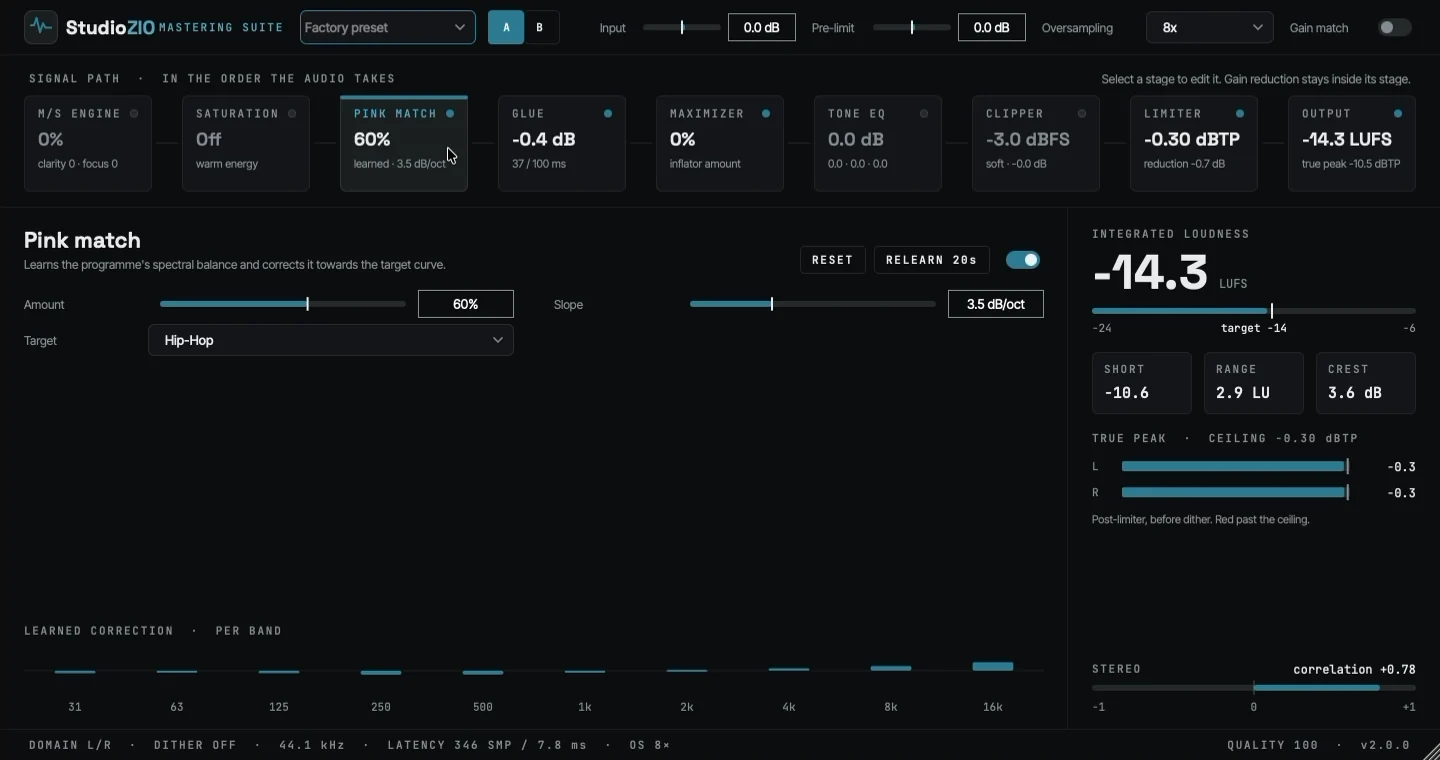
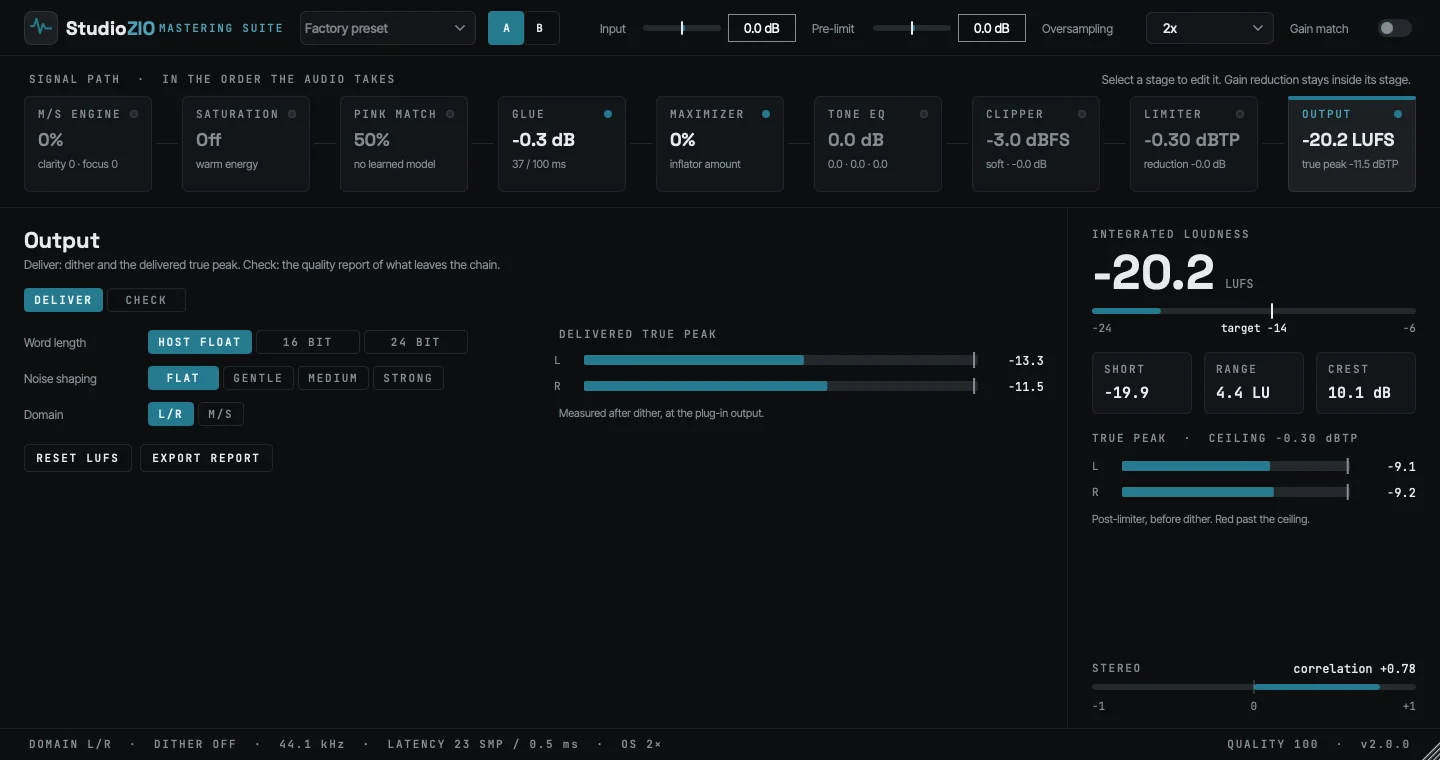
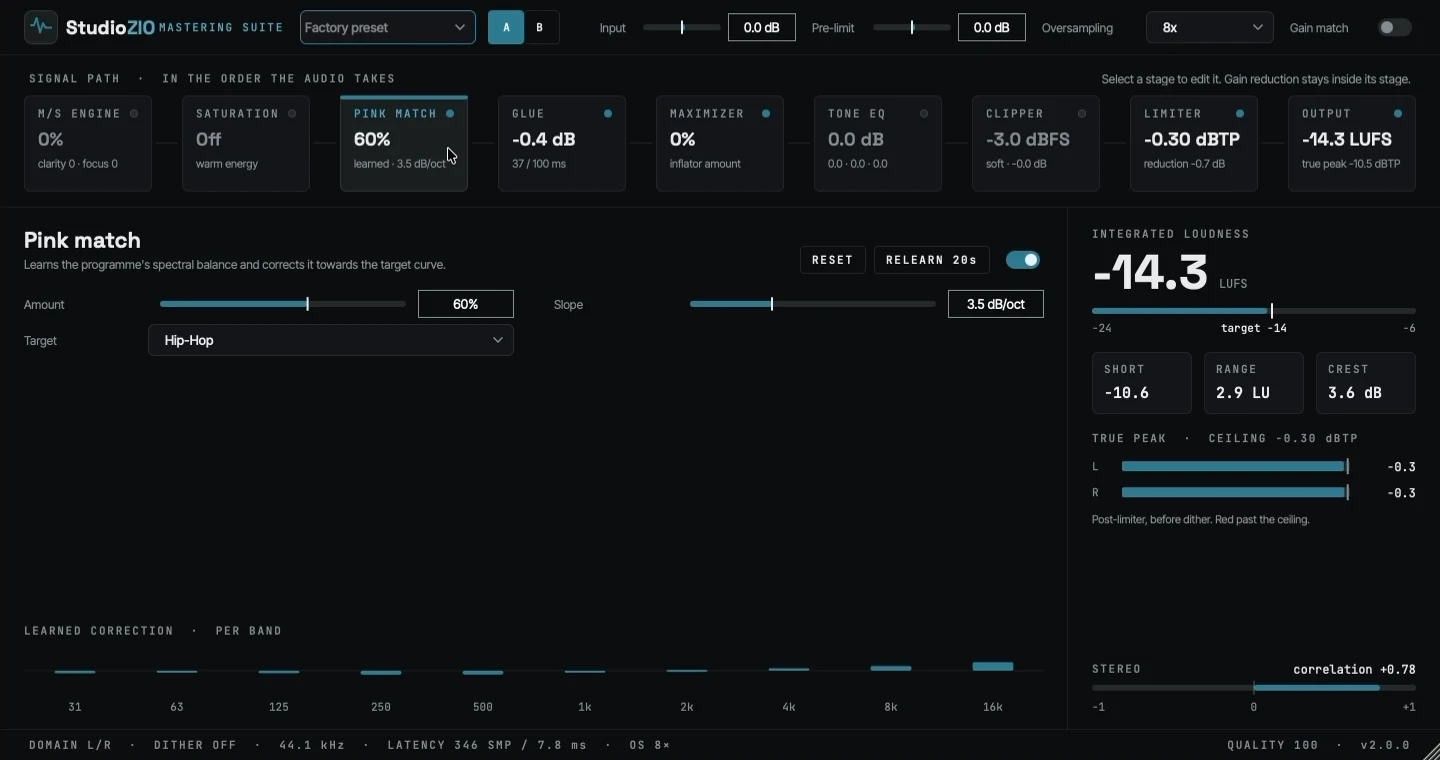
All four may be reproduced, cropped, resized, cut and re-encoded for coverage of this plug-in, with no need to ask first. If you need a shot of a specific module, a different size, a longer take or a quote for your piece, write to StudioZIO and it will come back the same day.
Boilerplate
A paragraph you can paste
StudioZIO Mastering Suite 2.1.1 is available in AU, VST3 and AAX plug-in formats plus a Standalone application. The release is a Universal macOS build for Apple Silicon and Intel, with AAX validated in Pro Tools. Nine stages share one gain structure: M/S engine, Saturation, Pink Match, Glue, Maximizer, Tone EQ, Clipper, Limiter and Output. Persistent metering includes FFT spectrum, vectorscope and LUFS/dBTP readouts. Pink Match matches material to a ten-band target over a 20-second learn pass. With the limiter and True Peak enabled, EXPECTED TP displays the requested ceiling minus a fixed detector reserve, an estimate rather than a measured output level. The limiter’s true-peak detector uses 16x reconstruction; the separate true-peak meters use 4x. A Quality Check System scores the output against standards-referenced metrics, reporting its own confidence and leaving genre-dependent figures unscored. It requires macOS 11 or newer, and installs from an Apple signed and notarized package with no account or registration. There is no Windows or Linux build.
No embargo, no approval over your edit, and no obligation to be positive. If it is not good enough, saying so is useful too.
Who makes it
StudioZIO
StudioZIO is an independent audio plug-in developer founded by Mert Erkan in Istanbul, and Mastering Suite is built by a working producer rather than assembled from a spec. Alongside it are Tempo Delay, also free for macOS, and ZIO MixRack, in development.